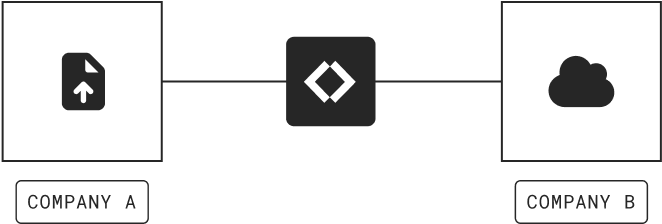
b2b-connect-hero

B2B Connect

The easiest way to exchange files with trading partners

B2B Connect makes partner file exchange fast to set up, simple to manage, and allows each organization keep their own storage, credentials, and permissions separate.

Instant access • 14 day free trial • No card required

Trusted by teams worldwide for secure, business-critical file exchange

BrewDog logo Inzata logo Jacuzzi logo Contrast logo Steve Madden logo Fundipedia logo Natural History Museum logo Breville logo Veeva logo Options Technology logo BrewDog logo Inzata logo Jacuzzi logo Contrast logo Steve Madden logo Fundipedia logo Natural History Museum logo Breville logo Veeva logo Options Technology logo BrewDog logo Inzata logo Jacuzzi logo Contrast logo Steve Madden logo Fundipedia logo Natural History Museum logo Breville logo Veeva logo Options Technology logo

How B2B Connect works

Set up secure file transfers with your trading partners

B2B Connect makes secure file exchange simple, even when organizations are using completely different storage platforms.
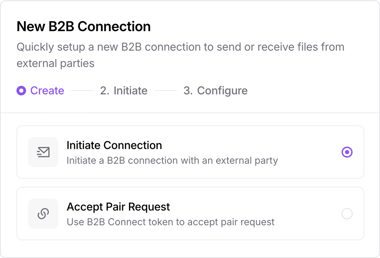
b2b-connect-create-1

Invite your partner

Create a new B2B connection and send an invitation to your partner. They add their details and finish configuration in their own account.

Connect your folders

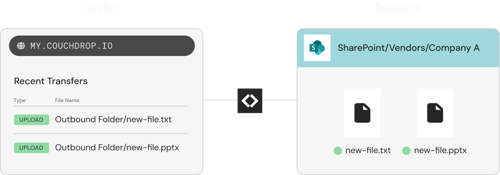
The sender gets an outbound B2B folder. The receiver chooses the connected storage directory where files should arrive. When both parts are configured, Couchdrop activates the secure connection.
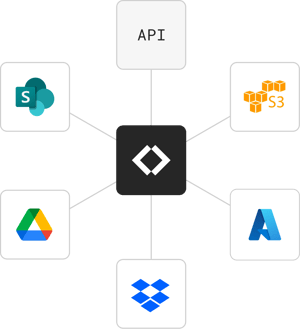
Native integrations and custom API integrations
b2b-connect-diagram-1

Exchange files securely

Files added to the outbound folder are sent directly to the receiving partner’s chosen directory. Neither side needs access to or details about the other organization’s storage account or configuration.

How Inzata, a data analytics platform, simplified customer data transfers

One platform for every partner and file workflow

B2B Connect is ideal when both organizations use Couchdrop. If other partners need a different transfer method, you can keep everything inside the same platform.
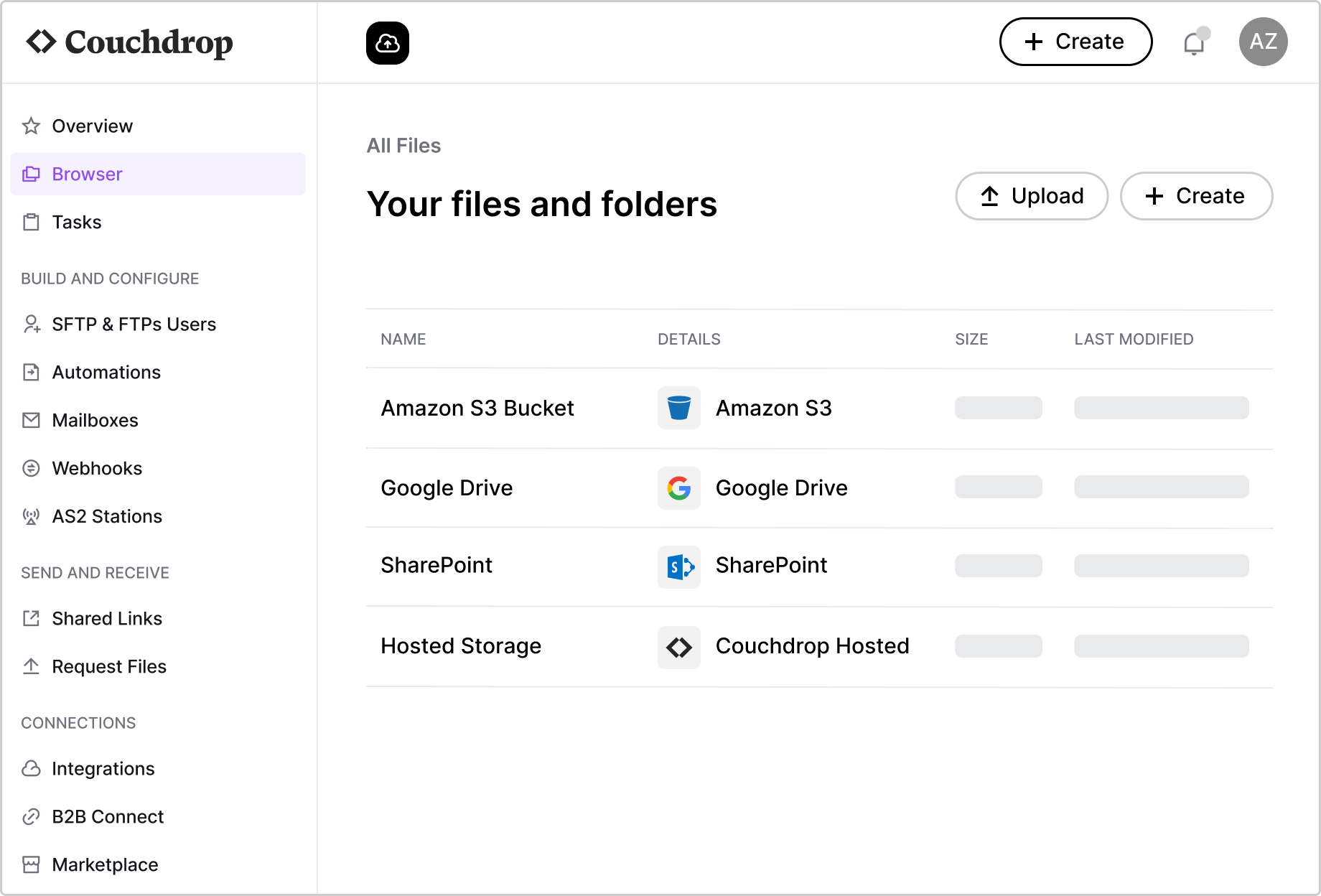
Dashboard Browser with Hosted Storage 1
SFTP and FTP transfers
Give partners and systems protocol-based access with Cloud SFTP.
Managed file transfer
Run broader file transfer operations with reporting, access control, and governance.
Scheduled file workflows
Move files automatically between storage, partners, mailboxes, portals, and connected systems.
AS2 and EDI exchange
Support structured trading partner workflows with AS2 and EDI capabilities.
Upload portals
Collect files through branded upload pages with Upload Links.
Email-based file intake
Receive attachments through Mailboxes and save them directly into connected storage.

Frequently asked questions

What is B2B Connect?
B2B Connect is a Couchdrop feature for secure file exchange between two organizations. It pairs two Couchdrop accounts so files can move from one organization’s outbound folder into the other organization’s connected storage.
Do both organizations need Couchdrop?
Yes. Both parties need a Couchdrop account. Partners without an account are prompted to create one when accepting the invitation.
Can partners see my storage?
Not by default. For security, neither party can manage or view files and folders in the other party’s storage unless the receiver allows viewing for that connection.
Can I send and receive files with the same partner?
Yes. You can create connections for sending files, receiving files, or both.
Is B2B Connect HIPAA-compliant?
Yes, B2B Connect is HIPAA-compliant when you have a BAA in place with us and are using the separate HIPAA infrastructure.

Get instant access to the Couchdrop platform

Start your free trial immediately with no downloads or credit card required.
Have questions or prefer a walkthrough? Talk to our team.


g2-spring-25-best-support g2-high-performer-latest g2-spring-25-easiest