Building an automation is much easier when you don’t have to start with a blank workflow.
Automation Templates give you ready-made starting points for common file movement jobs and more detailed processes. You can go from browsing a template to creating a new automation in two clicks, then configure the required settings for your systems.
Templates also make it easier to explore Couchdrop automations and see how different actions can work together.
Go from template to automation in two clicks
Automation Templates remove the need to build the structure of every workflow from scratch.
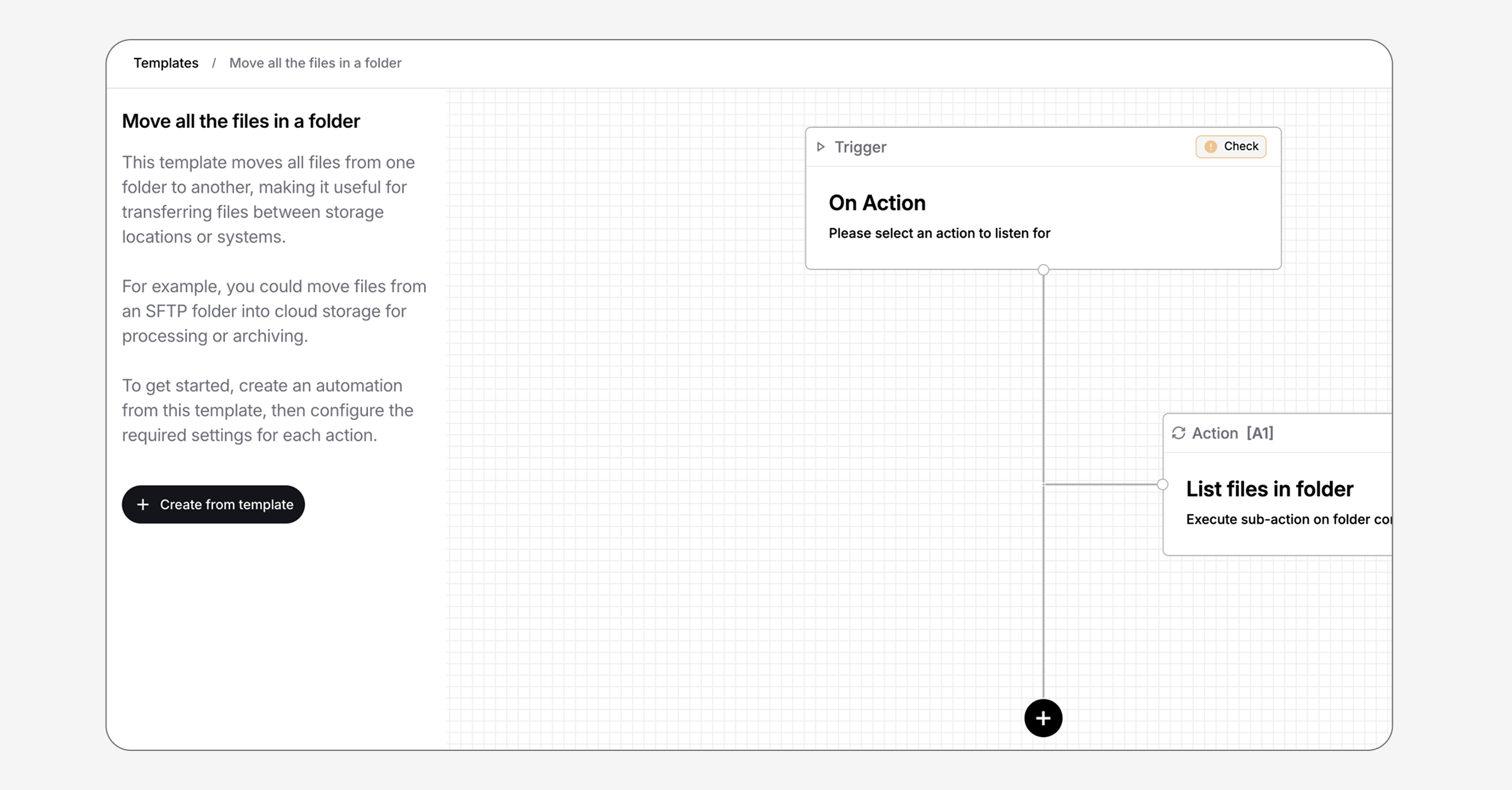
Open the Templates tab, choose a scenario, and select Preview this template. You can review the complete workflow before selecting Create from template to turn it into a new automation.
From there, configure the trigger and required settings for each action to suit your folders, storage locations, and systems.
You still control how the automation works, but the starting structure is already in place.
Templates for simple and detailed workflows
Automation Templates are grouped into simple and detailed scenarios, making it easier to find the right place to begin.
Simple templates cover common file workflows such as:
- Moving files while keeping a copy in a separate archive folder
- Processing PGP-encrypted files received from customers, partners, or other systems
- Moving every file from one folder to another
- Copying or transferring files when a specified action occurs
Detailed templates show how Couchdrop can handle more specific requirements. For example, you can start with a workflow that processes files differently depending on specific file properties.
These scenarios help you solve an immediate file movement problem while showing what else is possible with Couchdrop automations.
See the workflow before you start
Each template includes a description of what it does and an example of where it can be used.
The preview displays the structure of the automation, including its trigger and connected actions. This lets you understand the workflow before creating it and see which settings you’ll need to configure.
Put Automation Templates to work
Whether you need to archive incoming files, process encrypted data, transfer the contents of a folder, or create a more detailed file workflow, Automation Templates give you a faster place to begin.
Browse the available scenarios, preview the workflow, and create an automation without starting from scratch.