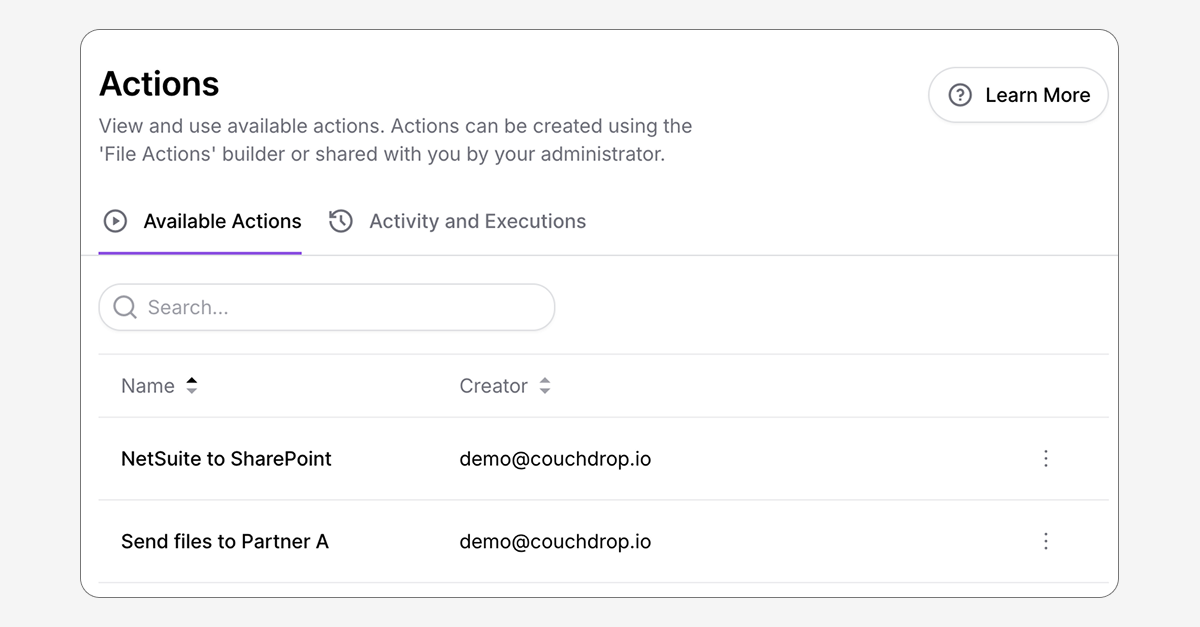
Sending and transforming files is now easier than ever thanks to the new Actions feature. With Actions, an admin can create a File Action workflow and provide their team with access to run the process/action on files without having to worry about how it works under the hood.
A simple way for anyone to use file processing workflows
Couchdrop Actions make secure file transfers easier to use by enabling anyone to execute shared file actions.
Some common ways to use Actions include:
- Sending files to partners with strict acceptance requirements. The User simply selects the Action and uploads the file. Couchdrop handles the rest, so they don't have to worry about ensuring it's in the proper structure before sending.
- Complex file transformations. For workflows with advanced steps like converting XML to CSV, the files will be transformed automatically, and the user simply has to select appropriate files to send.
- Ingesting files into other systems. Some systems, such as EDI platforms, require a very specific format or structure to accept data. Actions work in the background to bridge connection gaps regardless of protocol or format expectations by modifying files to fit requirements.
- Avoid overprivileging users. Allow Users to trigger workflows without needing permissions to manage or even view workflows or endpoints.
- Allow less technical staff to work with advanced workflows. Actions are activated in Couchdrop's simple web interface, so anyone can add files easily regardless of technical knowledge or ability.
How do Actions work?
Actions are simple use and only take a few steps to set up.
First, a Couchdrop Admin sets up the File Action workflow and uses the Runnable Action trigger. The workflow itself can be as simple or complex as needed. Once it's been built, the admin then selects Users who can use the Action.
The user simply logs into their own Account, selects the Action in the Action tab, and either uploads a local file or selects a file from the virtual file browser. This triggers the action immediately and runs the workflow using the submitted file.
This setup gives two key advantages: admins retain full control over processes, permissions, and workflows, while their users simply have to consider what Action they want to do--like sending files to partners--and don't need to know about meeting the specific encryption and compression specifications that are handled behind the scenes.
Actions are available now
Actions are now available to all eligible users. Log in to your account to try them now.