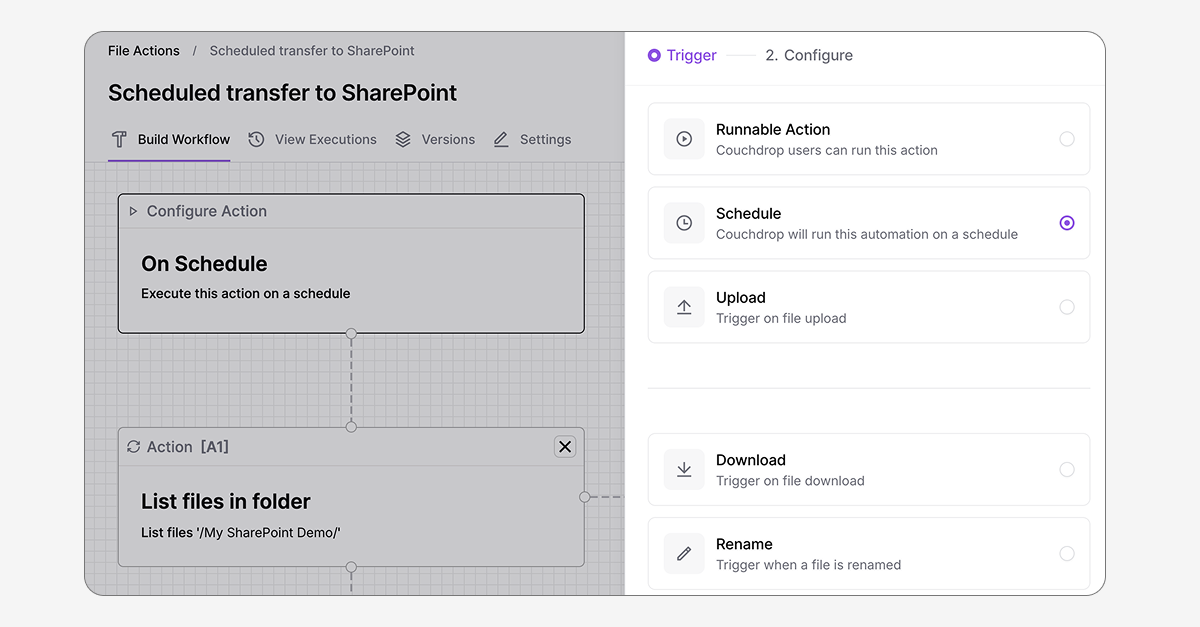
Manually transferring files can be a time-consuming, resource-intensive process. Automating transfers makes exchanging data much more efficient, scalable, and less prone to errors, but only if setting up and configuring automations is simple and straightforward.
To help make automated transfers easier and more accessible, we've changed how automations are created and managed in Couchdrop and consolidated Automations and actions into a single, unified view.
Consolidated automations view
Scheduled transfers and file actions have been consolidated into a single Automations view. This new view has all actions, conditions, and triggers that were split across File Actions and Scheduled Transfers and brings them into a unified view.
All automation workflows are now set up and configured in the Automations & Actions tab. If you have scheduled transfers that have already been configured, those can still be used and edited here.
However, from now on, all new scheduled transfers will be configured in Automations using scheduling as the trigger.
Scheduling as a trigger
Scheduling transfers is still possible, but is now designated using the Schedule trigger. Select this as the first action and Couchdrop will run the automation on a schedule.
The same scheduling capabilities remain, including multiple interval choices and the option to create secondary schedules.
Add actions mid-sequence
We've added the capability to add actions in the middle of a sequence without removing the actions that follow. This means you can add a new step in the middle without deleting subsequent actions, allowing you to easily modify workflows from that point onwards.
When combined with our recent addition of duplicating automations, you can easily create variations of workflows that have similar steps with slight alterations without having to remake them from scratch.
Improved automations available now
The new Automations view and actions are available now for all plans with automations. Log in to Couchdrop now to try them out.